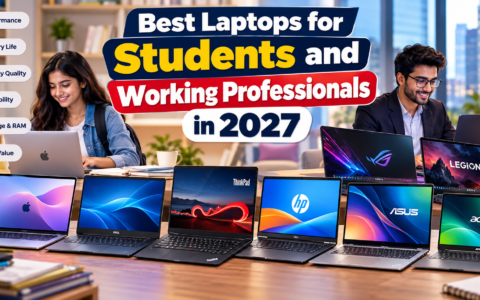
Best Laptops for School Students, Choosing the right laptop can make a significant difference in a student’s academic journey. Whether you’re attending online classes, writing assignments, coding, designing graphics, or editing videos, having a reliable device improves productivity and learning. However, with hundreds of laptops available across different price ranges, selecting the right one can be overwhelming.
This Laptop Buying Guide for Students explains everything you need to know before purchasing a laptop, including specifications, budget recommendations, battery life, portability, and features that matter most for students.
Why Students Need the Right Laptop
A laptop has become an essential educational tool rather than a luxury. Students rely on laptops for:
- Online classes and virtual meetings
- Research and web browsing
- Writing assignments and reports
- Programming and software development
- Graphic design and multimedia projects
- Video editing
- Presentations
- Note-taking
- Collaboration using Google Workspace or Microsoft Office
Buying the wrong laptop could lead to slow performance, poor battery life, and unnecessary expenses. That’s why following a proper Laptop Buying Guide for Students helps ensure you invest wisely.
Determine Your Academic Needs
Best Laptops for School Students, Before looking at specifications, identify how you will use the laptop.
School Students
Typical tasks include:
- Web browsing
- Online learning
- Word processing
- Watching educational videos
- Basic presentations
Recommended specifications:
- Intel Core i3 / AMD Ryzen 3
- 8GB RAM
- 256GB SSD
College Students
College workloads often require more processing power.
Common activities:
- Microsoft Office
- Coding
- Data analysis
- Video conferencing
- Multitasking
Recommended:
- Intel Core i5 or AMD Ryzen 5
- 16GB RAM
- 512GB SSD
Engineering Students
Best Laptops for School Students, Engineering software demands powerful hardware.
Examples include:
- AutoCAD
- MATLAB
- SolidWorks
- Programming IDEs
Recommended:
- Intel Core i7 / Ryzen 7
- 16GB RAM or higher
- Dedicated graphics (optional depending on software)
Design Students
Graphic design and creative work require better displays and graphics.
Software includes:
- Adobe Photoshop
- Illustrator
- Premiere Pro
- Blender
Recommended:
- High-resolution display
- Dedicated GPU
- Color-accurate screen
- 16GB RAM
Choose the Right Processor
Best Laptops for School Students, The processor is the brain of your laptop.
Intel Processors
- Core i3 – Basic student work
- Core i5 – Best value for most students
- Core i7 – Heavy multitasking
- Core Ultra Series – AI-powered performance with better efficiency
AMD Processors
AMD Ryzen processors offer excellent value.
- Ryzen 3 – Budget users
- Ryzen 5 – Ideal for students
- Ryzen 7 – Professional workloads
- Ryzen AI Series – Advanced AI capabilities
Apple Silicon
Apple’s M-series chips provide:
- Exceptional battery life
- Excellent performance
- Silent operation
- Great optimization
Ideal for students already using Apple devices.
RAM Requirements
RAM affects multitasking performance.
8GB RAM
Suitable for:
- Browsing
- Office work
- Online classes
16GB RAM
Recommended for most college students.
Benefits:
- Smooth multitasking
- Faster applications
- Better future-proofing
32GB RAM
Useful only for:
- Video editing
- Large coding projects
- Professional creative work
Storage: SSD vs HDD
One of the most important parts of any Laptop Buying Guide for Students is understanding storage.
SSD (Solid State Drive)
Advantages:
- Faster boot times
- Quick file access
- Better durability
- Less power consumption
Recommended capacity:
- 256GB minimum
- 512GB ideal
- 1TB for creators
HDD
Traditional hard drives are slower.
Although cheaper, they are no longer recommended as the primary storage device for students.
Display Matters
Students spend hours looking at laptop screens.
Choose:
- 13–14 inches for portability
- 15.6 inches for multitasking
Resolution:
- Full HD (1920×1080) minimum
- IPS panel preferred
- Anti-glare display for eye comfort
Avoid HD-only displays whenever possible.
Battery Life
Best Laptops for School Students, Students frequently move between classrooms, libraries, and study spaces.
Look for laptops offering:
- Minimum 8 hours
- Ideal 10–15 hours
- USB-C charging support
Long battery life reduces dependency on charging outlets.
Weight and Portability
A lightweight laptop is easier to carry throughout the day.
Recommended:
- Under 1.5 kg for frequent travel
- Thin and compact design
- Durable aluminum or reinforced chassis if possible
Graphics Card
Most students do not require dedicated graphics.
Integrated Graphics
Perfect for:
- Office work
- Internet browsing
- Coding
- Streaming
Dedicated Graphics
Recommended for:
- Gaming
- Architecture
- Video editing
- Animation
- 3D rendering
Options include NVIDIA GeForce RTX or AMD Radeon graphics.
Keyboard and Touchpad
Best Laptops for School Students, Students type thousands of words every semester.
Choose laptops with:
- Comfortable keyboard
- Good key travel
- Backlit keyboard
- Precision touchpad
A poor keyboard can reduce productivity during long study sessions.
Connectivity Options
Modern students use multiple accessories.
Useful ports include:
- USB-A
- USB-C
- HDMI
- Audio jack
- SD card reader (optional)
Wireless connectivity:
- Wi-Fi 6 or Wi-Fi 6E
- Bluetooth 5.2 or newer
Webcam and Microphone
Online learning remains common.
Choose laptops with:
- 1080p webcam if available
- Noise-reduction microphones
- Good speakers
These features improve online classes and video meetings.
Operating System
Windows
Best for:
- Engineering
- Gaming
- Business
- General education
Large software compatibility makes Windows the most popular student choice.
macOS
Ideal for:
- Creative professionals
- Video editing
- Apple ecosystem users
MacBooks provide excellent battery life and build quality but generally cost more.
ChromeOS
Suitable for:
- School students
- Web-based learning
- Google Workspace users
Chromebooks are affordable but may not support specialized desktop software.
Budget Recommendations
Under $500
Best for:
- Basic studies
- Web browsing
- Assignments
Look for:
- Intel Core i3
- Ryzen 3
- 8GB RAM
- SSD storage
$500–800
Ideal for most college students.
Specifications:
- Core i5
- Ryzen 5
- 16GB RAM
- 512GB SSD
Above $800
Recommended for:
- Engineering
- Graphic design
- Video editing
- Programming
- Architecture
These laptops offer better processors, displays, and dedicated graphics.
Features Worth Paying Extra For
Students should consider these premium features:
- Fingerprint reader
- Face unlock
- Backlit keyboard
- Fast charging
- Thunderbolt/USB4 ports
- Wi-Fi 6E
- AI-enhanced webcams
- OLED display (optional)
Mistakes to Avoid
Many students purchase laptops without considering long-term usability.
Avoid these common mistakes:
- Buying only based on price
- Choosing 4GB RAM in 2026
- Purchasing laptops with HDD-only storage
- Ignoring battery life
- Overpaying for unnecessary gaming hardware
- Buying oversized laptops if portability is important
- Ignoring warranty and after-sales support
Should You Buy a Refurbished Laptop?
Best Laptops for School Students, Refurbished laptops can offer excellent value if purchased from reputable sellers.
Benefits include:
- Lower price
- Certified quality checks
- Warranty availability
However, always verify battery health, warranty coverage, and return policies before purchasing.
Future-Proof Your Purchase
Technology evolves quickly, so buying a laptop that will remain capable for several years is important.
Aim for:
- 16GB RAM
- 512GB SSD
- Latest-generation Intel, AMD, or Apple processor
- Wi-Fi 6/6E
- USB-C connectivity
These specifications should comfortably support most student workloads for the next four to five years.
Read More: Best Tablets for Online Learning: Top Student Picks for 2026
Final Thoughts
Best Laptops for School Students, Choosing the right laptop is an investment in your education. The ideal device depends on your field of study, budget, and daily workload. For most students, a laptop with an Intel Core i5 or AMD Ryzen 5 processor, 16GB RAM, 512GB SSD storage, a Full HD display, and at least 8–10 hours of battery life offers the best balance of performance and value.
By following this Laptop Buying Guide for Students, you can confidently compare models, avoid unnecessary features, and select a laptop that supports your academic success throughout school or college. Instead of focusing solely on brand names, prioritize performance, portability, battery life, and long-term reliability to get the best return on your investment.
For additional guidance on choosing a laptop based on your educational needs, refer to the official laptop buying recommendations from Consumer Reports, a trusted independent product testing organization: https://www.consumerreports.org/electronics-computers/laptops/how-to-buy-the-best-laptop-a1302636731/