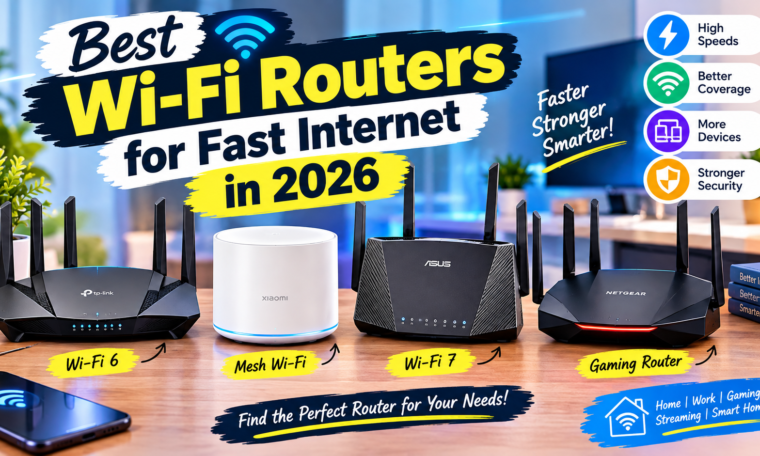
A fast internet connection is only as good as the router distributing it. You may have a high-speed fiber plan, but an outdated router can still cause slow downloads, buffering, weak signals, and frustrating connection drops. If you’re searching for the best Wi-Fi routers for fast internet in 2026, choosing the right model can make a noticeable difference to your online experience.
Modern Wi-Fi routers are becoming faster, smarter, and better at handling multiple connected devices. From Wi-Fi 6 and Wi-Fi 6E to the latest Wi-Fi 7 technology, today’s routers can deliver improved speeds, lower latency, and better performance in busy homes.
Whether you work from home, stream 4K content, play online games, attend video meetings, or have dozens of smart devices connected, the right router can help keep your network stable. Here’s what you should know before buying a Wi-Fi router in 2026.
Why Does Your Wi-Fi Router Matter?
Many people blame their internet service provider when their Wi-Fi feels slow. However, the router can also be responsible.
Your router manages communication between your internet connection and connected devices. An older router may struggle when several smartphones, laptops, smart TVs, cameras, gaming consoles, and other gadgets are connected simultaneously.
A modern router can improve:
- Wi-Fi coverage
- Connection stability
- Wireless speeds
- Device capacity
- Gaming latency
- Streaming performance
- Network security
Therefore, upgrading your router can be worthwhile even if your internet plan hasn’t changed.
Wi-Fi 6 vs Wi-Fi 6E vs Wi-Fi 7
Understanding Wi-Fi standards is important when choosing a router.
Wi-Fi 6
Wi-Fi 6 remains a strong option for many households. It is designed to handle multiple connected devices efficiently and can provide better performance in busy networks.
For apartments, small homes, and users with moderate internet speeds, a good Wi-Fi 6 router can offer excellent value.
Wi-Fi 6E
Wi-Fi 6E expands compatible Wi-Fi operation into the 6GHz band. This additional spectrum can provide access to less congested wireless channels.
It can be useful in areas where many nearby networks compete for wireless bandwidth.
Wi-Fi 7
Wi-Fi 7 is the newest generation among these standards and is designed for higher throughput, lower latency, and improved performance.
If you’re building a premium network for high-speed fiber, gaming, 8K media, large file transfers, or many connected devices, a Wi-Fi 7 router may be a more future-ready choice.
However, your devices also need to support newer Wi-Fi standards to take full advantage of them.
1. Best Wi-Fi Router for Everyday Home Use
For most households, you don’t necessarily need the most expensive router.
A good dual-band Wi-Fi 6 router can be enough for everyday activities such as browsing, social media, HD streaming, online classes, and video calls.
When choosing a home router, look for:
- Wi-Fi 6 support
- Gigabit Ethernet ports
- Good coverage
- WPA3 security
- Easy setup
- Reliable firmware updates
A balanced router can deliver strong performance without unnecessarily increasing your networking budget.
2. Best Wi-Fi Router for Gaming
Online gaming requires more than high download speeds. Low latency and a stable connection are equally important.
A gaming-focused router may include traffic prioritization features that help gaming devices receive network resources when multiple devices are active.
For gamers, look for:
- Low-latency performance
- Gigabit or multi-gigabit Ethernet
- Quality-of-service controls
- Strong wireless coverage
- Wired connectivity options
- Wi-Fi 6E or Wi-Fi 7 support
If possible, connecting a gaming PC or console through Ethernet can still provide a more consistent connection than Wi-Fi.
3. Best Wi-Fi Router for 4K Streaming
Streaming 4K movies and TV shows requires consistent bandwidth. If multiple people are streaming simultaneously, an older router may struggle.
A modern Wi-Fi 6 or Wi-Fi 7 router can better handle multiple high-bandwidth devices.
Look for a router with sufficient wireless capacity and wired Ethernet ports for devices such as smart TVs and streaming boxes.
4. Best Wi-Fi Router for Work From Home
Remote workers need stable internet for video meetings, cloud applications, file transfers, and collaboration tools.
A reliable router should maintain stable connections across laptops, smartphones, printers, and other office devices.
Features such as automatic updates, guest networks, WPA3 security, and traffic management can also be useful.
If you regularly attend important video meetings, consider keeping your work laptop connected through Ethernet whenever practical.
5. Best Wi-Fi Router for Large Homes
Large homes can have Wi-Fi dead zones, especially when thick walls or multiple floors interfere with wireless signals.
In these situations, a mesh Wi-Fi system may be more effective than a single high-powered router.
Mesh systems typically use multiple nodes placed around the home to create a broader wireless network.
They are useful for:
- Multi-floor houses
- Large apartments
- Homes with thick walls
- Smart-home setups
- Multiple connected users
Before buying, check whether additional mesh nodes are available and how much the complete system costs.
6. Best Wi-Fi Router for Smart Homes
Smart homes can have dozens of connected devices, including lights, cameras, speakers, TVs, plugs, thermostats, and appliances.
A router with strong device-handling capabilities can help keep the network stable.
Look for features such as:
- Guest networks
- Device management
- Parental controls
- IoT network support
- Strong security
- Automatic firmware updates
Separating smart-home devices from personal computers and phones can also improve network organization and security.
7. Best Wi-Fi Router for Fast Fiber Internet
If you have a very fast fiber connection, your router needs to be capable of handling those speeds.
For example, upgrading to a multi-gigabit internet plan while continuing to use a router with only basic Ethernet ports can create a bottleneck.
Before buying, check both the wireless specifications and Ethernet port speeds.
For high-speed fiber users, Wi-Fi 7 and multi-gigabit networking can be worth considering.
What to Look for When Buying a Wi-Fi Router in 2026
Choosing the right router isn’t just about the advertised maximum speed.
1. Wi-Fi Standard
Choose Wi-Fi 6 for value, Wi-Fi 6E for additional spectrum, or Wi-Fi 7 for the latest technology and high-performance networks.
2. Coverage
Check the manufacturer’s estimated coverage, but remember that real-world performance depends on walls, floors, interference, and router placement.
3. Ethernet Ports
Gigabit Ethernet is sufficient for many users, while multi-gigabit ports can be important for faster fiber plans and local network transfers.
4. Security
Look for WPA3 support, automatic firmware updates, firewall features, and guest-network functionality.
5. Number of Devices
If your home contains many connected devices, choose a router designed to handle high device density.
6. Mesh Compatibility
If you live in a large home, mesh expansion can be a valuable feature.
How to Improve Wi-Fi Speed Without Buying a New Router
Before spending money on a new router, try improving your current setup.
Place your router in a central, elevated location rather than inside a cabinet or behind furniture. Keep it away from major sources of interference where possible.
You can also:
- Restart the router occasionally
- Update its firmware
- Use less congested Wi-Fi channels
- Connect demanding devices through Ethernet
- Move mesh nodes to better positions
- Remove unnecessary connected devices
Sometimes better router placement can make a surprisingly large difference.
Wi-Fi Router Security Tips
A fast router isn’t useful if your network isn’t secure.
Change the default administrator password and use a strong Wi-Fi password. Enable WPA3 when supported and keep your router’s firmware updated.
You should also avoid sharing your main Wi-Fi password with every visitor. A guest network can provide internet access without giving guests access to your primary network.
For smart-home devices, regularly check which products are connected and remove devices you no longer use.
Is Wi-Fi 7 Worth Buying in 2026?
For many users, Wi-Fi 7 can be an attractive long-term investment. It offers newer wireless capabilities and is designed for demanding networks.
However, buying the newest standard isn’t automatically necessary.
If your internet plan is relatively modest and most of your devices only support Wi-Fi 5 or Wi-Fi 6, a premium Wi-Fi 7 router may provide limited practical benefits.
On the other hand, users with multi-gigabit fiber, newer smartphones and laptops, gaming systems, and many connected devices may benefit more from upgrading.
Final Thoughts
The best Wi-Fi routers for fast internet in 2026 depend on your home size, internet plan, number of connected devices, and budget.
For everyday users, a reliable Wi-Fi 6 router can provide excellent performance. Larger homes may benefit from mesh networking, while gamers and high-speed fiber users can consider Wi-Fi 6E or Wi-Fi 7.
Before purchasing, look beyond the headline speed. Consider coverage, Ethernet ports, security features, device capacity, software support, and upgrade options.
A well-chosen router can provide faster, more stable, and more reliable connectivity across your entire home—making everything from streaming and gaming to remote work and smart-home control more enjoyable.