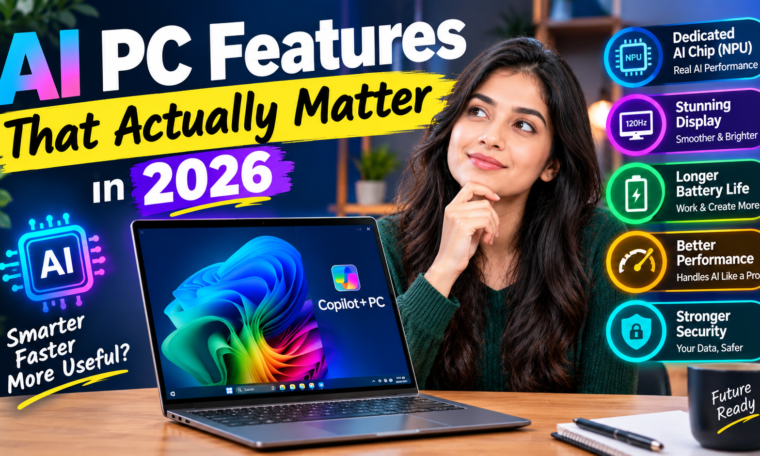
AI PC Features That Actually Matter in 2026
AI PCs are no longer just a technology buzzword. In 2026, laptops are increasingly being designed with dedicated hardware and software for artificial intelligence. However, not every AI feature deserves equal attention.
Some AI capabilities can genuinely make everyday computing faster and more convenient. Others may sound impressive on a product page but have limited value for the average user.
So, which AI PC features actually matter in 2026?
The answer starts with the hardware. Modern AI PCs increasingly combine traditional processors with a dedicated Neural Processing Unit (NPU) designed to handle AI workloads efficiently. Microsoft describes Copilot+ PCs as a category requiring an NPU capable of at least 40 trillion operations per second, along with minimum memory and storage requirements.
Here are the AI PC features worth paying attention to before buying a new laptop.
1. A Dedicated NPU
The NPU is arguably the most important hardware feature to understand when shopping for an AI PC.
A CPU handles general computing tasks, while a GPU is particularly useful for graphics and highly parallel workloads. An NPU is specifically designed for neural-network and machine-learning operations.
That distinction matters because AI applications can use the NPU for supported workloads without placing the entire workload on the CPU or GPU.
Microsoft says Copilot+ PCs use NPUs capable of more than 40 TOPS, enabling features such as real-time translation, image generation and other on-device AI experiences.
For buyers, the important point is simple: don’t buy an AI PC merely because the box says “AI.” Check whether it has a capable NPU and whether your applications can actually use it.
2. On-Device AI Processing
Cloud-based AI is useful, but local AI processing can offer a different set of advantages.
With on-device AI, supported models and tasks can run directly on the laptop rather than sending every request to a remote server. Microsoft’s current Windows AI documentation describes components designed to run locally using hardware such as the NPU.
This can provide several benefits:
- Lower latency for supported tasks
- Reduced dependence on an internet connection
- Potentially better privacy for supported workloads
- More efficient AI processing
- Useful functionality when traveling or working offline
For example, Microsoft’s Phi Silica is a small language model optimized for local execution on Copilot+ PCs. It can support tasks such as text understanding, summarization and rewriting.
That’s much more meaningful than simply having an AI sticker on the laptop.
3. AI Features That Save Time
The best AI feature is often the one that removes a repetitive task.
Modern Windows AI experiences can help with activities such as finding information, summarizing content, rewriting text and interacting with files.
Recall is one example. When enabled, it is designed to help users search through snapshots of activity on their PC using natural-language descriptions rather than requiring an exact filename. Microsoft says Recall snapshots are stored locally and provides controls for pausing, filtering and deleting them.
Imagine remembering that you saw a presentation last week but not remembering its filename. Instead of manually opening dozens of folders, an AI-powered search experience can potentially make that information easier to locate.
For students, professionals and people who work with many documents, this type of feature can be more useful than flashy AI demonstrations.
4. AI-Powered Search
Traditional computer searches often depend on filenames, folders and exact keywords.
AI-powered search aims to make that process more natural.
Instead of remembering the exact name of a document, users can describe what they are looking for. Windows AI technologies now include capabilities such as semantic search and local language models, although availability varies depending on hardware and software.
This could become particularly useful as people accumulate thousands of documents, photos, screenshots and other files.
The real value comes from reducing the time spent searching rather than simply adding another AI interface.
5. AI Image Editing
AI-powered image tools are another feature worth watching.
Microsoft’s Windows AI components include image-processing, image-transformation and image-creation capabilities designed for supported Copilot+ hardware. These can assist with tasks such as image analysis, object removal and background reconstruction.
For casual users, this can simplify basic editing.
Content creators can also benefit when AI tools are integrated directly into their workflow. Removing an unwanted object or improving an image may take fewer steps than using a traditional editing process.
However, professional photographers and designers should still check whether their preferred creative applications actually take advantage of the NPU.
6. Real-Time Translation and Captions
Language accessibility is another practical AI application.
Microsoft says Copilot+ PCs can provide Live Captions with translation from more than 40 languages into English for supported audio and video scenarios.
This can be useful during:
- Online meetings
- Educational videos
- International presentations
- Foreign-language content
- Remote collaboration
For users who regularly communicate across languages, this feature may have considerably more practical value than novelty-focused AI tools.
7. AI-Powered Video Calls
Video meetings have become a normal part of school, work and business.
AI PCs can enhance supported video calls through features such as background effects, lighting adjustments, voice improvements and eye-contact correction.
Windows Studio Effects is designed to use AI to enhance compatible video-call experiences. Microsoft lists features such as portrait lighting, creative filters and natural eye contact among its capabilities.
These features can be especially useful for remote workers, students and creators who frequently appear on camera.
8. Battery Efficiency
AI performance isn’t only about speed.
A major reason manufacturers are adding NPUs is efficiency. AI workloads that are suitable for the NPU can be processed using specialized hardware rather than relying entirely on the CPU or GPU.
Microsoft says the NPU is designed to execute AI workloads efficiently and can contribute to longer battery life in supported scenarios.
Still, buyers should avoid assuming that every AI laptop automatically has excellent battery life.
Battery performance depends on the processor, display, battery capacity, software optimization and workload. Look for independent battery tests when comparing models.
9. Privacy and Security
Privacy is becoming increasingly important as AI becomes integrated into personal computers.
Local processing can reduce the need to send certain AI workloads to cloud servers. Microsoft’s Windows AI components are designed to support local processing for specific experiences, which can help keep supported data on the device.
Hardware security also matters. Copilot+ PCs can include technologies such as TPM 2.0, Windows Hello and Microsoft Pluton, depending on the system configuration.
However, users should still check individual feature settings. Local processing does not mean that every AI feature on a PC operates entirely offline.
10. AI Software Compatibility
Here’s a feature many buyers overlook: software support.
An NPU is only useful when applications know how to use it.
Microsoft’s current Windows AI platform includes APIs and development tools designed to allow applications to take advantage of local AI hardware. Support is expanding, but not every application automatically uses the NPU.
Before buying an AI laptop, check whether the software you use for:
- Video editing
- Photo editing
- Programming
- Gaming
- Office work
- Engineering
- Design
- Content creation
supports the hardware and processor architecture of the laptop.
AI Features That May Not Matter as Much
Not every AI feature should influence your purchase decision.
A laptop may advertise dozens of AI capabilities, but some may be features you use only once or twice.
For example, an AI-generated wallpaper might be entertaining, but it probably should not outweigh processor performance, battery life or display quality.
Likewise, a powerful NPU does not automatically make every traditional application faster.
The better approach is to ask a simple question:
Will this AI feature save me time or improve something I do regularly?
If the answer is yes, it deserves attention.
What to Look for When Buying an AI PC in 2026
Before purchasing an AI laptop, consider these specifications:
NPU Performance
Look for a capable NPU, particularly if you want Copilot+ features. Microsoft currently defines Copilot+ PCs around NPUs capable of at least 40 TOPS.
RAM
16GB is an important baseline for modern AI PCs, while users working with video editing, large datasets or demanding applications may want more.
Storage
Choose an SSD with enough capacity for your applications and files. 512GB or more can be useful for users who store large media libraries.
Processor Compatibility
Check whether your essential applications work properly with the processor architecture.
Battery Life
Don’t rely only on manufacturer claims. Look for real-world testing.
Display Quality
AI features cannot compensate for a poor screen. Resolution, brightness, colour accuracy and refresh rate remain important.
Ports and Connectivity
USB-C, USB-A, HDMI, Wi-Fi and other connectivity options should match your daily needs.
Final Thoughts
The AI PC market is evolving quickly in 2026, but buyers don’t need to chase every new AI feature.
The features that actually matter are the ones that provide real improvements to everyday computing. A capable NPU, on-device AI processing, intelligent search, useful productivity tools, image editing, translation, video-call enhancements, efficient battery performance and strong privacy controls are among the areas worth examining.
Microsoft’s current Windows AI platform is also evolving through independently serviced AI components, meaning supported AI capabilities can receive improvements through Windows updates over time.
Ultimately, an AI PC should still be judged as a complete laptop. Processor performance, RAM, storage, display, keyboard, battery life, ports, software compatibility and price remain just as important as the AI hardware.
The smartest AI PC purchase in 2026 isn’t necessarily the laptop with the most AI features. It’s the one whose AI features actually fit the way you work, study or create.